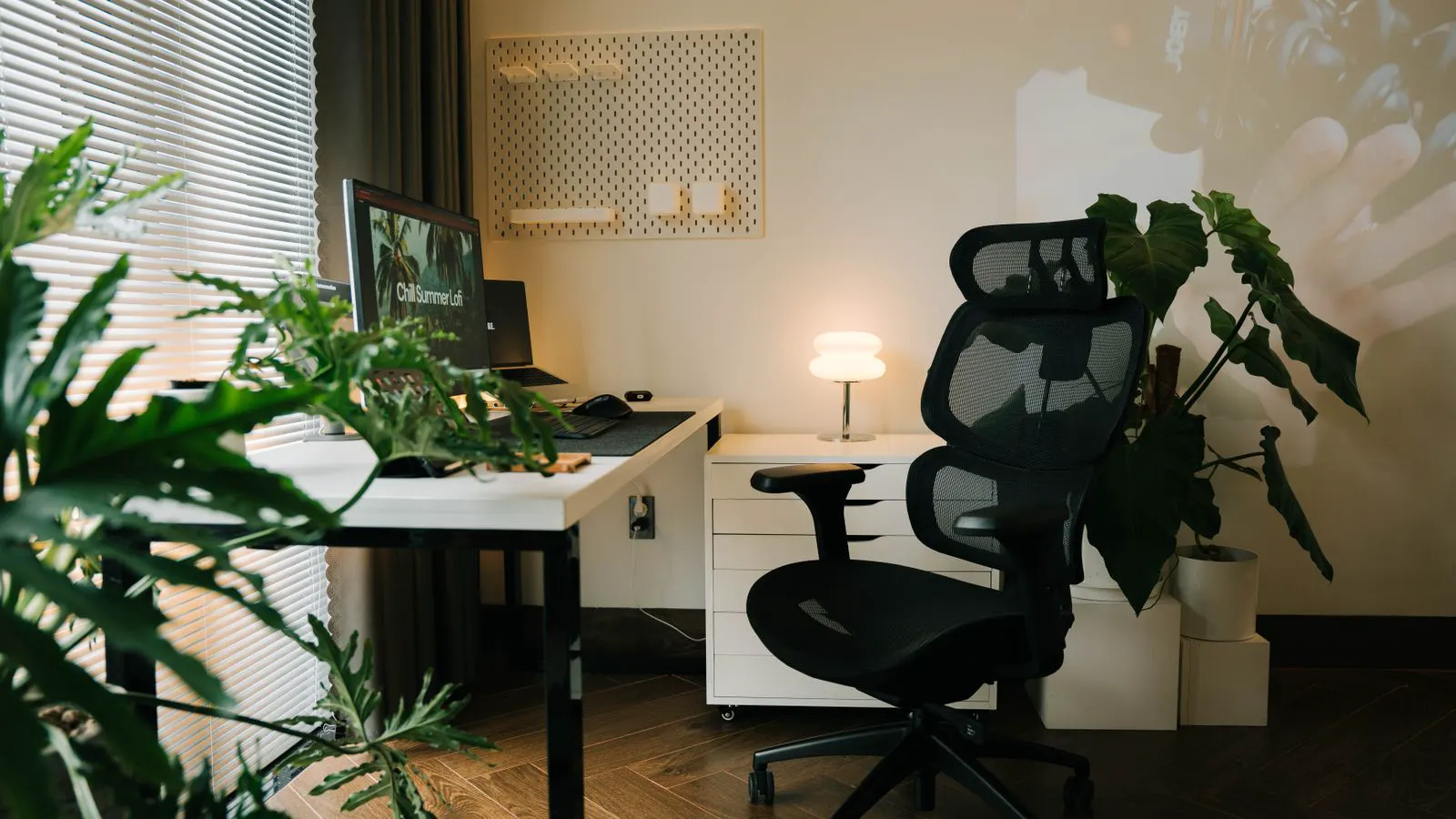
Ergonomic task chairs suit dynamic, multi-activity roles through adjustable lumbar support and synchronized tilt. Standard office chairs fit fixed, budget-sensitive environments where basic comfort suffices. The right choice depends on task variation, user population, and total cost.
- Match chair type to movement patterns. Multi-position work favors ergonomic task chairs. Static work tolerates standard models.
- Check adjustability depth. Lumbar, armrests, and seat depth matter more than cushion softness for long shifts.
- Standard office chairs reduce unit cost and simplify maintenance, but they limit user customization.
- Pilot with a small group before full rollout to verify fit across different body types and desk layouts.
- Review total cost of ownership. Higher upfront prices do not always mean higher long-term expense if replacements decrease.
Procurement teams face a routine but consequential decision when outfitting workstations. The chair must support the way people actually work, not just the way they sit in a showroom. Many buyers narrow the field to two broad categories: ergonomic task chairs and standard office chairs. The difference is not cosmetic. It shapes adjustability, support systems, maintenance needs, and long-term user satisfaction.
This comparison focuses on practical specifications for buyers comparing seating for different work styles. It avoids brand references and assumes a mixed workforce using desks, laptops, and shared meeting areas.
How adjustability changes daily comfort
Standard office chairs offer limited range of motion. They typically include basic height adjustment and a fixed or simple tilt mechanism. The seat pan stays in a fixed relationship to the backrest. Armrests may be fixed or have a small vertical range. Lumbar support, when present, is usually molded into the back panel without user control.
Ergonomic task chairs add multiple adjustment points. They allow users to modify seat depth, lumbar tension, armrest position in multiple axes, and tilt resistance. Many include a synchronized tilt that moves the backrest and seat pan at different angles, helping maintain a neutral posture during leaning or typing.
The difference matters most for users who alternate between upright typing, forward leaning into a laptop, and lateral reaching for documents. A fixed chair forces the user to shift their body to compensate. An adjustable chair lets the seat adapt to the task.
Office chair comparison by work style
The table below summarizes how the two categories perform across common procurement scenarios. Use it as a starting point for stakeholder briefings.
| Option | Best for | Limitations |
|---|---|---|
| Standard office chair | Fixed desks, low-budget offices, short-duration use, guest rooms | Limited adjustability, reduced support for diverse body types, higher replacement frequency |
| Basic ergonomic chair | Teams with mild variation in tasks, moderate budget, users with some mobility needs | Fewer adjustment points than premium task chairs, may not cover extreme postures or long-duration dynamic work |
| Mid-range ergonomic task chair | Mixed work styles, multi-station setups, users who need lumbar and armrest control | Higher unit cost, more complex onboarding and training, potential for users to set adjustments incorrectly |
| Premium ergonomic task chair | High-intensity knowledge work, long shifts, diverse workforce, executive or specialist roles | Highest unit cost, more complex maintenance, requires periodic adjustment checks |
| Sit-stand chair with task features | Workstations with adjustable desks, users who alternate between sitting and standing | More complex mechanism, higher wear on gas cylinders, requires desk height compatibility |
Task chair types and their practical roles
Task chair types differ by how they handle movement and support. Understanding these distinctions helps procurement managers specify correctly.
- Basic task chairs. These provide height adjustment and a fixed or limited tilt. They suit users who sit at a fixed desk for several hours with minimal posture change. They are often used in reception areas, break rooms, or low-traffic meeting spaces.
- Adjustable task chairs. These add lumbar control, armrest adjustment, and seat depth. They suit users who work at multiple surfaces, such as a desk and a laptop on a counter. The adjustments reduce the need for frequent body repositioning.
- Dynamic task chairs. These include synchronized or independent tilt, adjustable tension, and multi-axis armrests. They suit users who lean forward, reach laterally, and shift weight throughout the day. They are common in engineering, finance, and customer support environments.
- Hybrid or sit-stand task chairs. These combine task chair adjustments with mechanisms that support standing use. They suit workstations with height-adjustable desks. The chair must allow the user to transition without awkward angles or pinching.
Each type serves a different subset of the workforce. A single specification for the entire office often fails because it over-specifies some users and under-specifies others.
Material, durability, and maintenance considerations
Chairs fail in predictable ways. Gas cylinders lose pressure. Mesh backs lose tension. Foam seats compress. Armrests crack or wobble. Standard office chairs often use molded plastic frames and basic foam. They are inexpensive to repair but may wear faster under heavy use.
Ergonomic task chairs use more complex mechanisms. They often include adjustable gas lifts, tension controls, and reinforced armrests. These parts can wear if abused or if the chair is used beyond its weight rating. Maintenance matters. A standard chair may need a new seat cushion every few years. A task chair may need tension adjustments, armrest tightening, or cylinder replacement.
Procurement managers should ask suppliers for expected service intervals and whether parts are user-replaceable. A chair that requires annual professional tuning may cost more over five years than a simpler model that needs only occasional tightening.
Cost structure and total cost of ownership
Unit price is only one input. Standard office chairs have lower upfront cost. They also simplify inventory because fewer model variants are needed. However, they may require more frequent replacement if users do not fit well.
Ergonomic task chairs cost more per unit. They also tend to last longer when properly maintained, because the adjustable components reduce static load on one area of the body. Users who can adjust the chair to their own dimensions often report fewer discomfort complaints, which can lower absenteeism.
The total cost of ownership includes purchase, delivery, assembly, training, maintenance, and replacement. A mid-range task chair may cost twice a standard chair, but if it reduces replacements by half over five years, the net cost may be similar. Procurement teams should model both scenarios before selecting.
How to specify for different teams
Different departments need different seating. Procurement managers can use work style as the primary filter.
- Static, single-task roles. Users who sit at a fixed desk for long periods with minimal movement may do well with a basic ergonomic chair. They need height and lumbar support, but they do not need full dynamic adjustment.
- Multi-surface roles. Users who move between a desk, a laptop on a counter, and a standing desk benefit from adjustable task chairs. Armrests and seat depth matter because the user changes their base position.
- High-movement roles. Users who lean, reach, and shift posture frequently should use dynamic task chairs. These chairs reduce the need to reposition the whole body to find a comfortable angle.
- Executive or specialist roles. Users who work long hours with high cognitive load often benefit from premium task chairs with detailed adjustment controls. The investment is justified by reduced fatigue and better posture support.
A practical approach is to create two or three chair categories and assign them by role, not by rank. This avoids over-specifying guest rooms and under-specifying high-use areas. It also simplifies purchasing and makes it easier to replace chairs by category rather than by individual model.
Common specification mistakes to avoid
Buyers make several predictable errors when specifying office seating.
- Choosing based only on cushion softness. A soft seat may feel comfortable in a showroom but compresses quickly. Support structure matters more for long shifts.
- Ignoring seat depth. If the seat pan is too long, it presses against the back of the knees and restricts circulation. If it is too short, it fails to support the thighs. Adjustable seat depth solves this.
- Overlooking armrest height. Armrests that are too low force users to hunch their shoulders. Armrests that are too high can push the elbows away from the keyboard. Multi-height armrests reduce this issue.
- Assuming one chair fits all. Different users need different lumbar support, different armrest positions, and different tilt resistance. A single standard model often fails to meet the needs of a mixed workforce.
- Skipping user training. Even well-designed task chairs can be set incorrectly. A short onboarding session helps users find a neutral posture and understand which adjustments to change and which to leave fixed.
Final selection guidance
Use a standard office chair when the budget is tight, the work is short-duration, and the user population is uniform. It is a reasonable choice for guest rooms, break areas, and low-traffic meeting spaces. It is not ideal for long-duration, high-concentration work.
Use a basic ergonomic chair when users need more support than a standard chair offers but do not require full dynamic adjustment. It suits teams with mild variation in tasks and moderate budget constraints.
Use a mid-range ergonomic task chair when users alternate between tasks and surfaces. It provides the adjustability needed for comfort without the complexity of premium models. It is a common choice for mixed-use offices.
Use a premium ergonomic task chair when the workforce is diverse and the work involves long shifts with high cognitive or physical demand. It justifies the higher unit cost through better fit and longer service life.
Use a hybrid or sit-stand task chair when the workspace includes height-adjustable desks. The chair must support both sitting and standing positions without awkward angles. It is a good fit for teams that already use sit-stand workstations.
The right choice depends on how people actually sit, move, and work. Procurement managers should observe real work patterns before finalizing specifications. A short pilot with a small group can reveal fit issues that are not visible in a datasheet.
Frequently asked questions
What is the main difference between an ergonomic task chair and a standard office chair?
An ergonomic task chair offers multiple adjustable points for lumbar support, armrests, and tilt. A standard office chair usually provides basic height adjustment and limited tilt.
Do all users need ergonomic task chairs?
No. Users with short-duration or static work may be comfortable with a standard or basic ergonomic chair. The need depends on task variation, body type, and work duration.
How should procurement teams choose between chair categories?
Match the chair to the work style. Use standard chairs for fixed, low-traffic areas. Use task chairs for users who change posture or move between surfaces.
What maintenance should be expected for ergonomic task chairs?
Expect periodic checks for tension, armrest stability, and gas cylinder pressure. Some parts may need replacement over time, depending on usage and weight ratings.
Is a higher unit price always a worse value?
Not necessarily. A task chair may cost more upfront but reduce replacements and support complaints over time. Total cost of ownership should guide the decision.